Glass Tweaks.
Make it yours.
The small details make a desktop feel like yours. Explore a calmer way to shape your setup and keep a way back.

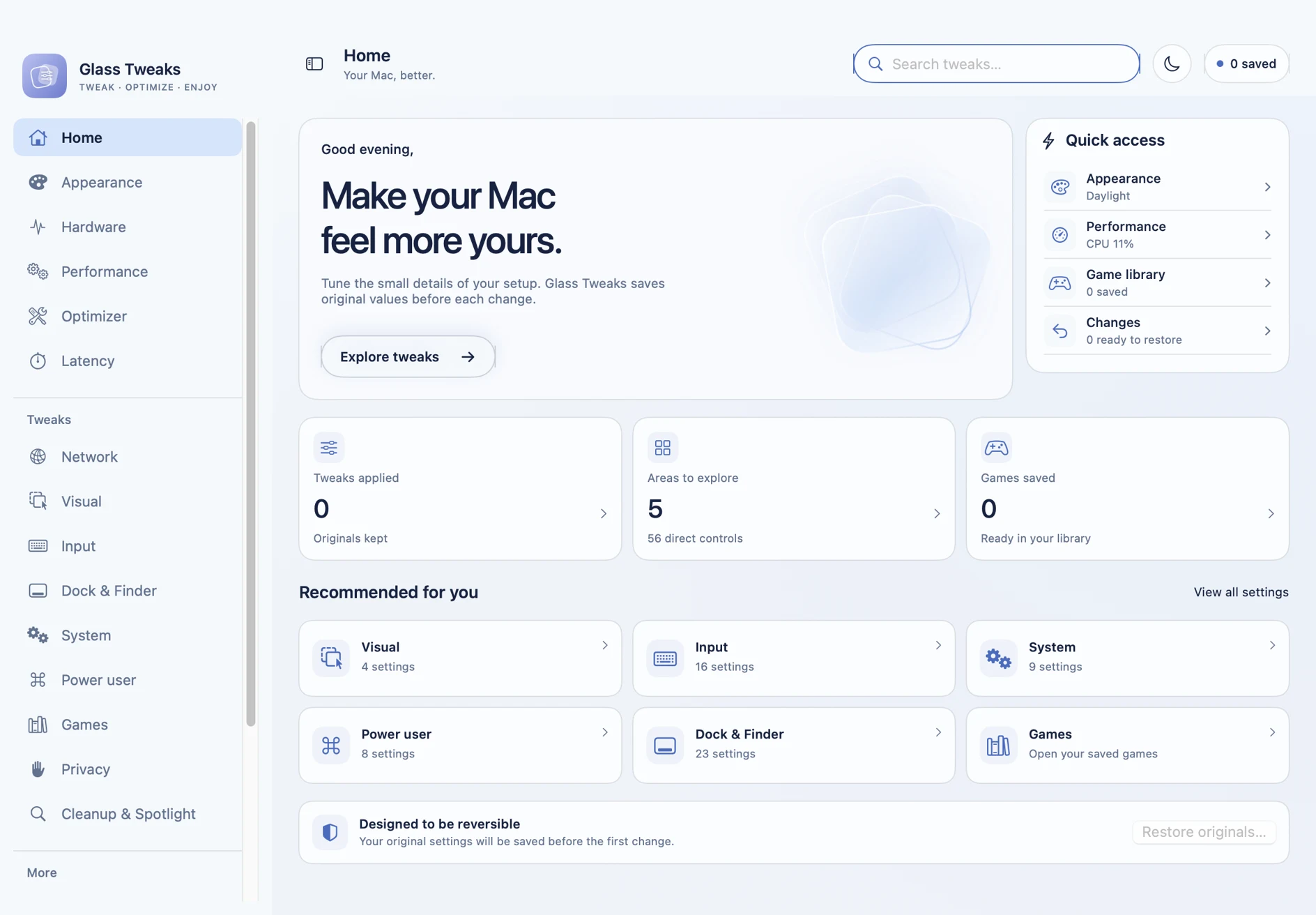
Take a look around.
Your settings, your hardware, your games.
A place for each part of your setup.
Click an app screen to try its controls. Every change stays in this browser preview; your computer is untouched.
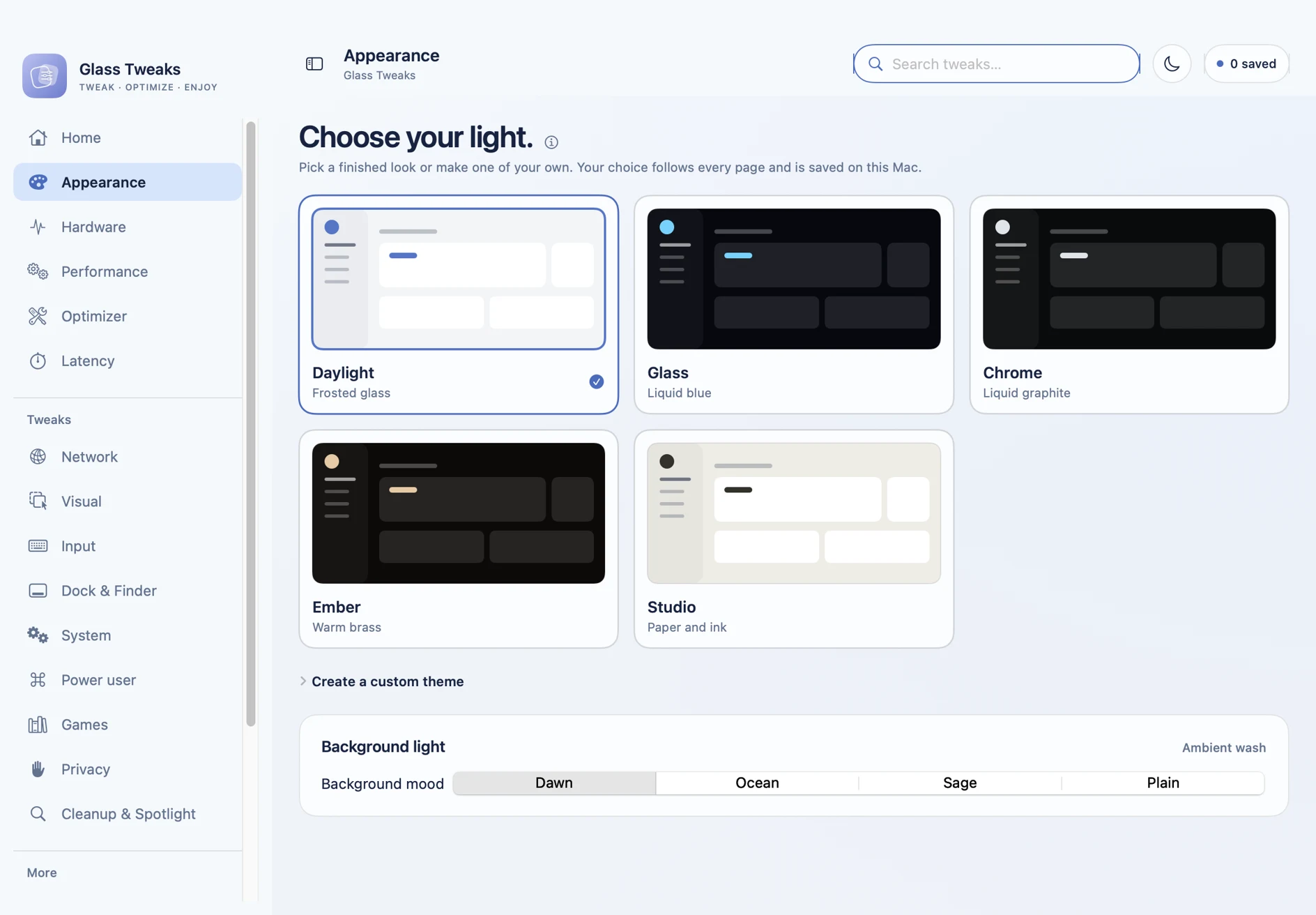
A look that feels like you.
Choose Daylight, Glass, Chrome, Ember, or Studio. Or make a custom palette with your own background, surface, and accent colors.
Small changes.
Your kind of setup.
Get to the settings you care about.
Understand what changes before you apply it.
Make yourself at home
Fine-tune the Dock and Finder, keyboard repeat, pointer behavior, and visual animations. Search the catalog to find a specific setting.
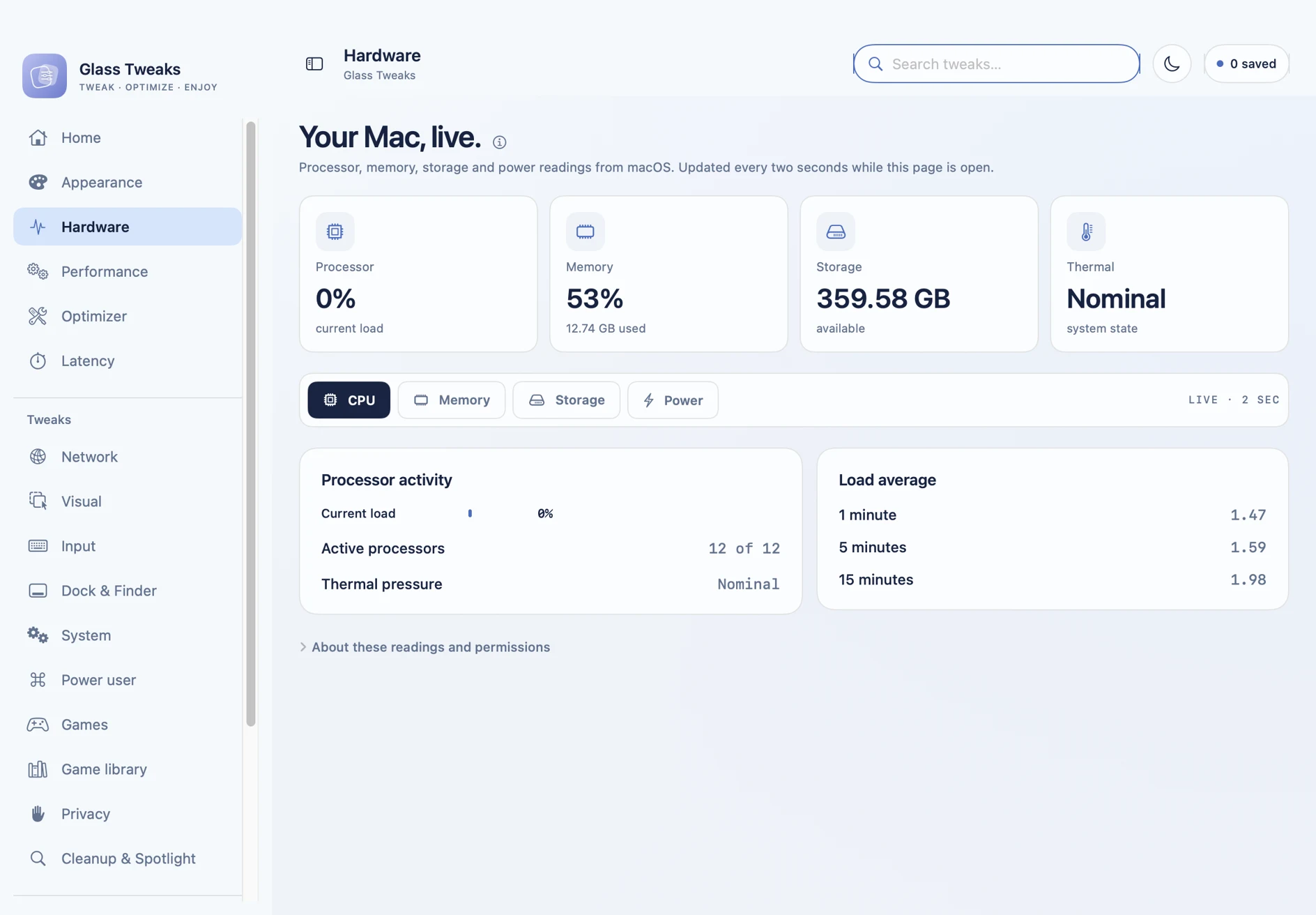
Know your hardware
Read CPU load, memory pressure, storage, battery, and thermal state. The hardware workspace brings your Mac’s readings together.
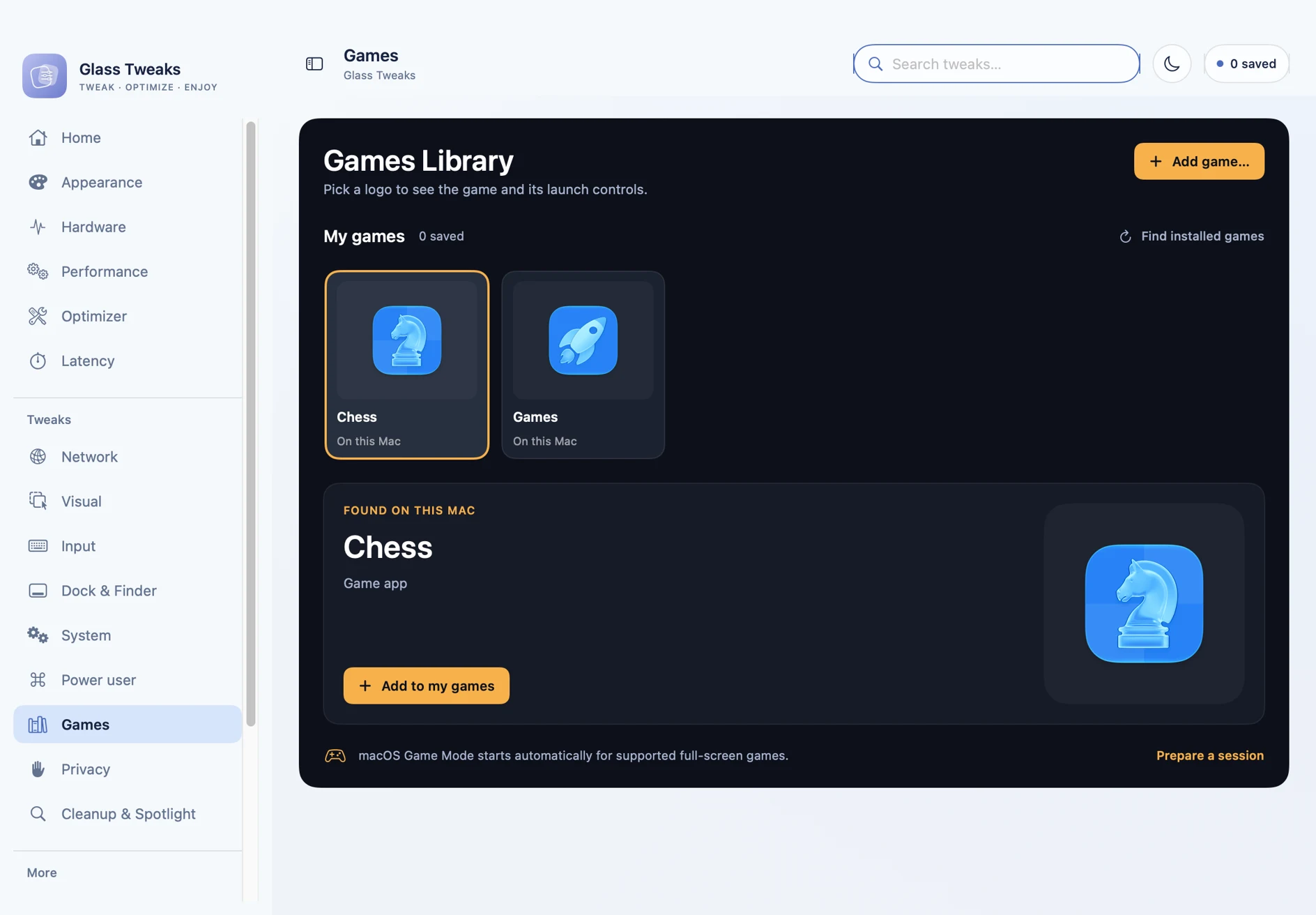
Keep your games together
Save installed games and launchers in your library. Pick what to launch and review the apps running alongside it.
Find your own look
Switch between five built-in palettes, choose a background mood, or save a named custom theme. Your choice follows the app.
Try a change.
Keep a way back.
Glass Tweaks saves original preference values before the first change. Restore a setting individually, or bring your originals back together.
Check availability ↗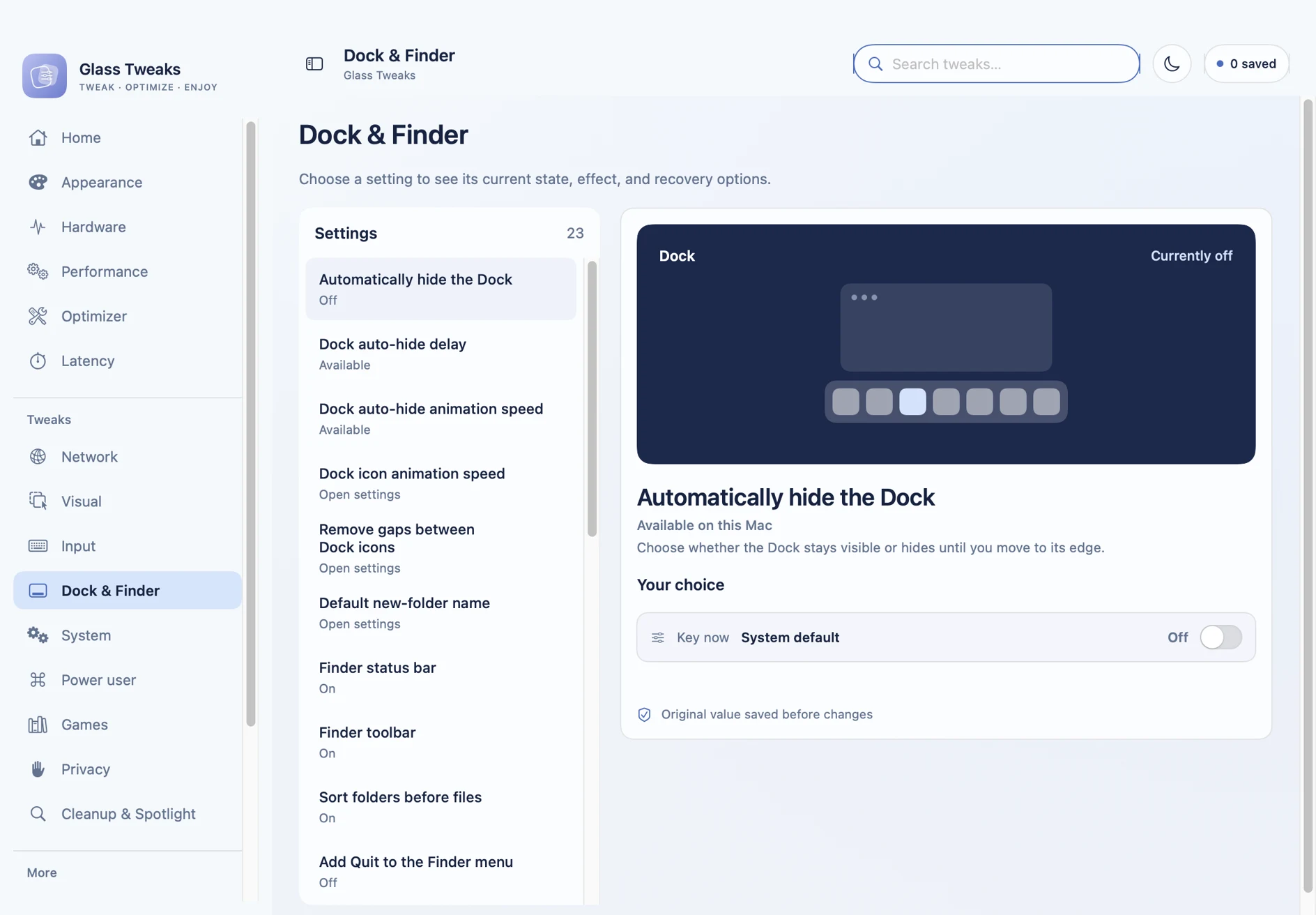
Changes are explained. Supported controls ask for confirmation. Unavailable settings say why.
A work in progress.
Explore the app as it takes shape.
No account needed to look around.
macOS
A native development build for macOS 13 or later. The Mac screenshots here come from that build.
Windows
A Windows prototype is in progress. Explore the interactive concept above; it is a browser preview, not a Windows release.
Public downloads aren’t available yet. This website is an interactive product preview. There is no checkout, waiting list, or sign-up.
A few good questions.
What’s real, what’s available,
and what to expect.
Can I download Glass Tweaks?
Not from this website yet. The Mac app is a local development build; a public signed and notarized release is not available here. You can explore the current interface and app details.
Are these real app screenshots?
Yes. These screens were captured from the native macOS development build in the Glass Tweaks project. They show Home, Appearance, Hardware, Games, and Settings. Hardware readings belong to the machine at the time of capture.
Can I use the Windows preview?
You can explore its interface and change demo controls in your browser. It does not install Glass Tweaks or change Windows settings. The Windows prototype is still in development.
Can I undo a tweak?
Supported user-level preferences save their original value before the first change. The app offers individual restoration and a restore-originals action. Some macOS settings may take effect when the Dock or Finder refreshes.
Does it promise more FPS?
No. The app provides readings, diagnostics, and explicit session tools. It does not promise an FPS increase or force macOS Game Mode. Supported games manage Game Mode through macOS.
Do I need an account?
No. Browse the screens and features without signing in. This preview has no accounts, purchases, reservations, or licence keys.
Your setup.
A little more you.
Get a closer look at Glass Tweaks.